
Products / NADSX
Creative assets & copy
Keep collected references, your own images, videos and copy easier to find and reuse.
Open workspace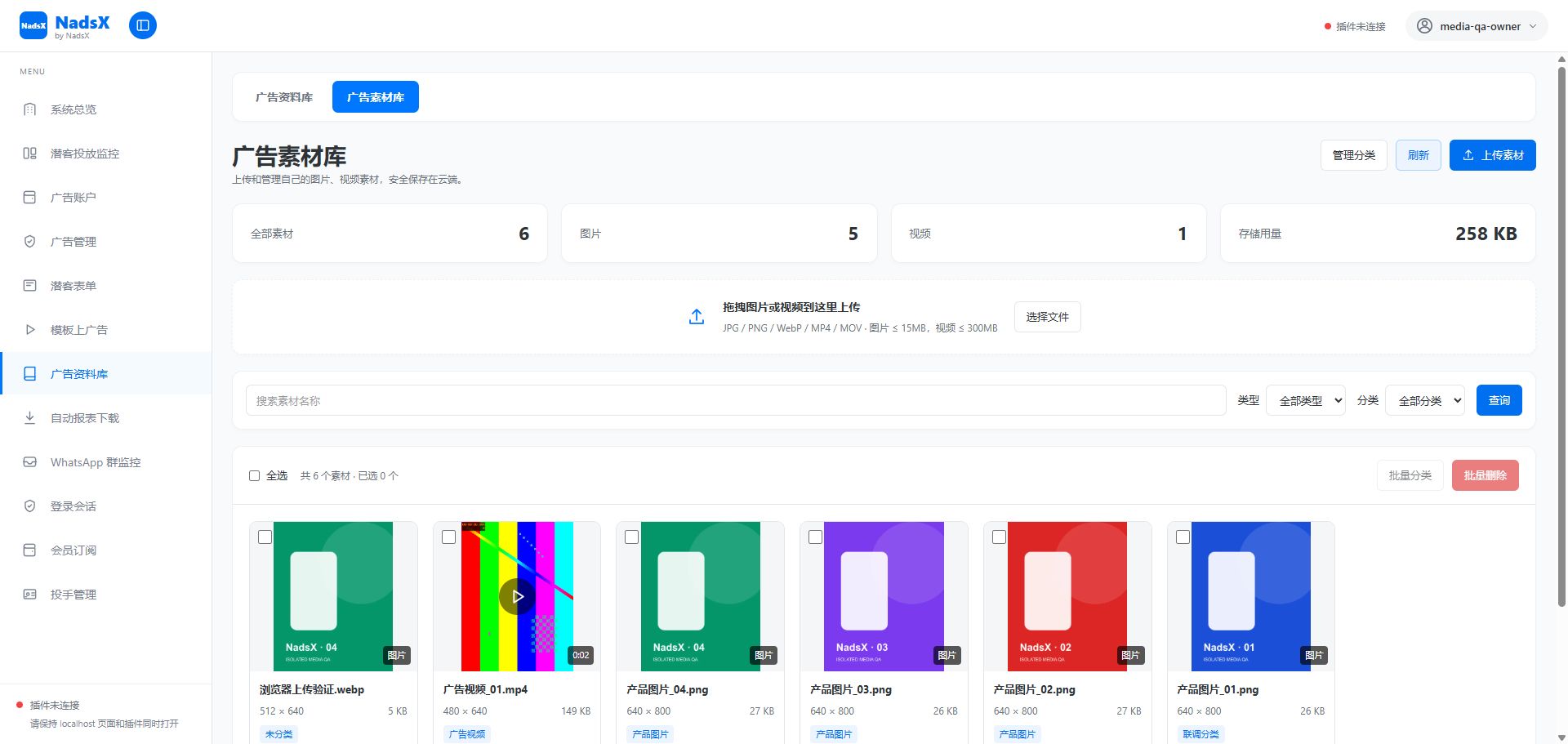
Product facts
- Suitable for
- Teams organising their own images, videos, copy and reference material for repeated use.
- Before you start
- Use content you are authorised to use, choose personal or team scope, and wait for uploads or processing to finish.
- Scope and limits
- Saving a reference does not confer usage rights. Library visibility and sharing follow the selected scope and current permissions.
Questions about this feature
Why is a library item unavailable when preparing an ad?
Check its scope, access permissions and readiness. A pending upload or failed processing step must be resolved before reuse.
NadsX product documentationContent reviewed
NADSX / Creative library
What you can do
Keep personal and team creative resources in their intended scope.
Select ready library assets when preparing an ad.
How it fits into your workflow
Build a working library, not another folder to search through.
- 01
Upload your own creative files or organize collected references.
- 02
Add categories and clear names for future use.
- 03
Reuse an available asset in the publishing workflow.
Connected capabilities
NADSX / Your next step
Make room for a clearer way to work.
Explore the workspace, connect the extension and start with the part of your workflow that needs attention.